
Understanding Matterport deliverables you get from one capture session — and which file answers which question downstream.
The Matterport deliverables from a single 3D capture are five files that answer different downstream questions: a navigable 3D digital twin, a registered point cloud in E57 format, 2D floor plans (CAD), 3D BIM models, and the underlying capture data archived for reuse. Each Matterport deliverable answers a different question for a different team. Knowing which one you need is the first decision in scoping a capture project.
This post walks through what each Matterport deliverable is, who uses it, and how the pieces fit together inside a managed multi-site capture program.
What Are the Core Matterport Deliverables?
Every Matterport Pro3 capture session produces a set of files that get processed into the deliverables a client orders. The capture itself is the same. The Matterport deliverables you receive depend on what you scoped.
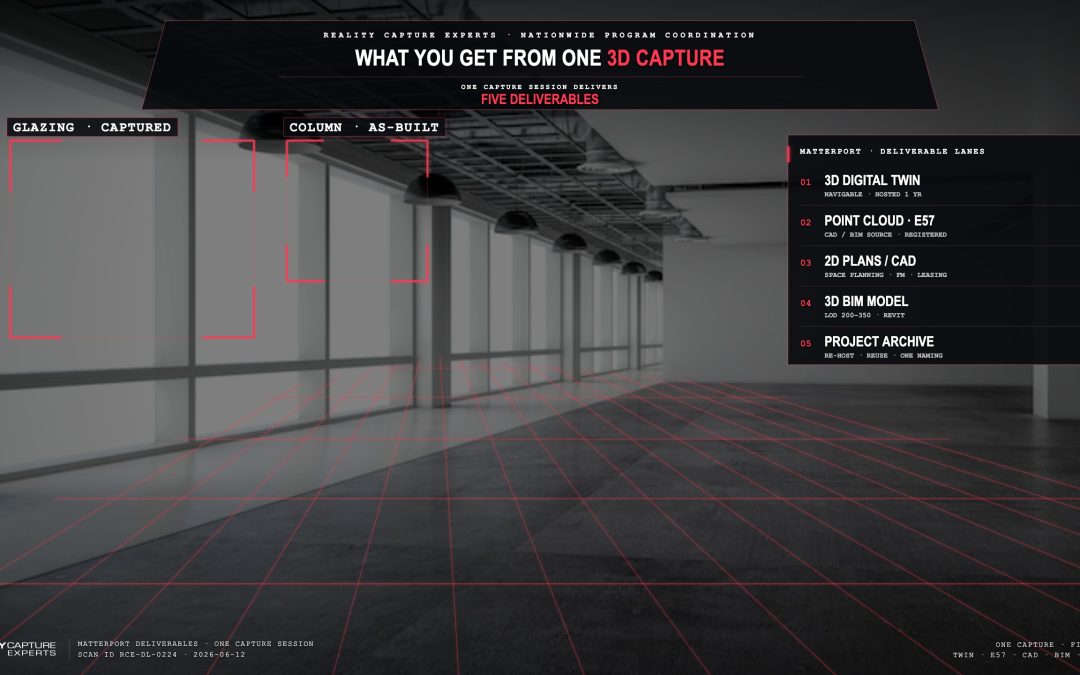
The five core deliverable lanes are:
- Matterport 3D digital twin — the navigable, hosted model the client and project team walk through online.
- Registered point cloud — the captured data exported to E57 format for use in CAD, BIM, and downstream design software.
- 2D floor plans / CAD — measured drawings produced from the point cloud and twin.
- 3D BIM models — modeled in Revit (or another platform) from the registered point cloud at the LOD the project needs.
- Project archive — the source Matterport file, retained and available for re-hosting or further work.
Most projects use two or three of these together — the digital twin for navigation and stakeholder access, the point cloud or BIM model for the design team’s work.
What Is the Matterport Digital Twin Used For?
The Matterport digital twin is the deliverable most non-modelers actually open. Designers walk the space remotely, facility managers verify field conditions, leasing teams share a link instead of scheduling a site visit, and field crews check a measurement without flying back to site.
The twin is hosted on Matterport’s platform with a shareable link. It supports measurements, tags, annotations, and embedded media. For most stakeholders on a project, the twin is the primary way they interact with the captured space.
RCE hosts every twin for one year after delivery as part of the program. Hosting can be extended or transferred to the client’s Matterport account on request.
What Is the E57 Point Cloud, and When Do You Need It?
The E57 point cloud is the registered, cleaned set of points captured by the Pro3 LiDAR sensor — exported in the neutral E57 file format so it can be opened by Autodesk ReCap, Leica Cyclone, Bentley, and other CAD/BIM platforms.
You need the E57 file when a downstream team is modeling existing conditions, producing CAD drawings, generating quantity takeoffs, or doing clash detection. The point cloud is the geometric source the modeling team builds against.
RCE delivers point clouds tied to the project base point — not to a project coordinate system or geo-referenced grid. That keeps the deliverable consistent across sites and ready for downstream modeling work.
What About 2D Plans and CAD Drawings?
2D plans — schematic floor plans, dimensioned CAD backgrounds, and similar drawings — are produced from the captured data and delivered in the client’s preferred CAD format. They are the right deliverable for space planning, leasing exhibits, FM documentation, and any workflow that lives in 2D.
The plans serve as a starting point that the client’s team reviews against project needs. They are not stamped survey drawings and they are not a substitute for licensed architectural or engineering work — they are an as-built reference layer the project team builds on.
What Does a Matterport-Driven BIM Model Look Like?
A Matterport-driven BIM model is a 3D model built from the registered point cloud at a defined Level of Development. Matterport’s own BIM File product delivers an LOD 200 model directly. For higher LOD — LOD 300 for architectural elements, LOD 350 for MEP zones — RCE’s modeling team builds from the cleaned E57 file.
The BIM model is what feeds renovation design, retrofit coordination, capital planning, and downstream construction documentation. It is also where the client’s design team applies project-specific standards — Revit families, naming conventions, families library — that an off-the-shelf BIM file cannot anticipate.
Jake, RCE’s AEC Specialist and an architect, scopes LOD with the design team during kickoff so the modeling work matches what the project actually needs.
Who Owns the Files After Delivery?
Per RCE’s terms, the client owns the use of the deliverables for the project they were scoped for. RCE retains the rights to the underlying work product and provides hosting for one year after delivery. The Matterport project file is archived and can be re-hosted or transferred to the client’s Matterport account at any time.
For multi-site programs, the file structure and naming convention is consistent across every site, so the portfolio dataset is usable as a single managed archive — not a folder of one-off scans.
How Do Matterport Deliverables Bundle Together on a Multi-Site Program?
On a managed multi-site program, the Matterport deliverables come bundled. One PM owns the scoping. The same SOP captures every site. The same QC team reviews every scan. The same folder structure and naming convention are applied to every deliverable. The client gets one dashboard showing status across the portfolio and a single point of contact for every question.
That is the difference between a coordinated capture program and ordering scans site by site. The deliverables themselves are the same. The coordination wrapped around them is what makes the program useful at the portfolio level.
What Happens Next
The first conversation in scoping any capture project is which Matterport deliverables the project needs and what they will be used for. From there, scan scope, schedule, and delivery format fall into place. Start here to scope deliverables for your project or portfolio program.
FAQ
Can I get just the digital twin without a point cloud?
Yes. The digital twin is the most common single-deliverable order — usually for facility documentation, leasing, or stakeholder navigation. The point cloud is scoped in when a downstream team needs to model or draw against the data.
What file format is the point cloud delivered in?
E57 — the neutral exchange format supported by most CAD and BIM platforms. Other formats can be exported on request.
Does RCE deliver Revit families or just the model geometry?
The BIM model is delivered in Revit with the geometry modeled to the agreed LOD. Client-specific Revit family libraries and naming conventions are applied when the client provides them at kickoff.
How long does it take to receive deliverables?
Digital twins are typically processed within 24–48 hours of capture. Point clouds, 2D plans, and BIM models depend on scope. Timelines are confirmed in the per-site scoping document at the start of the program.