
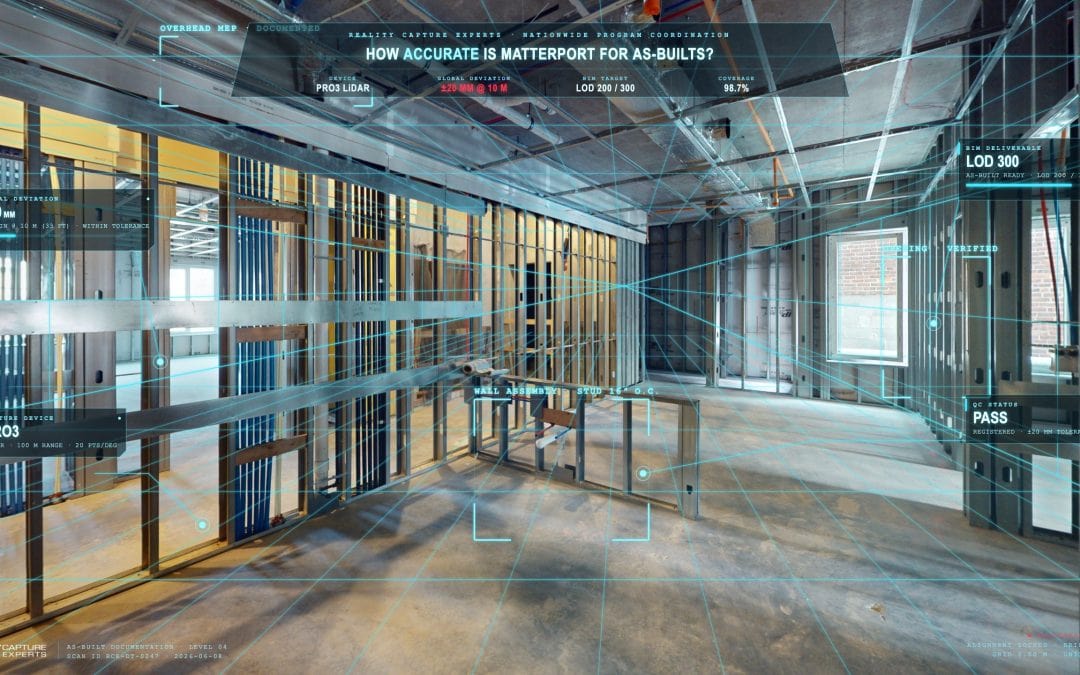
From capture to BIM model — what actually happens between the Pro3 setting up on site and a usable model landing in Revit.
Matterport scan-to-BIM works in four stages: on-site capture with the Matterport Pro3 LiDAR camera, export of a registered E57 point cloud, cleaning and registration of the cloud, and modeling in Revit (or another BIM platform) to the agreed Level of Development. Each stage produces a deliverable the next stage builds on, and the whole chain is what turns a captured space into a model the design team can actually use.
This post walks through each stage of the Matterport scan to BIM workflow, what it produces, and how the pieces connect inside a managed multi-site capture program.
Stage 1: What Happens During Matterport Scan-to-BIM Capture?
Capture is the on-site work. An RCE field technician sets up the Matterport Pro3 — a LiDAR-based scanner — at planned scan positions across the building, captures each position, and works through the scan path defined in the per-site scope.
The Pro3 captures spherical scans that combine LiDAR depth data with high-resolution imagery. The technician follows the published RCE capture SOP — scan spacing, coverage of all required areas, on-site QC against the planned scan path before leaving the site.
Capture is line-of-sight only. The scanner records what is visible in the field. Concealed elements — inside walls, above closed ceilings, behind insulation, underground — are not captured unless they are exposed before the scan.
Stage 2: What Does the E57 Point Cloud Look Like?
After capture, the scan positions are registered into a single point cloud and exported in E57 — the neutral file format supported by most CAD and BIM platforms.
The point cloud is the geometric source the modeling team builds against. Every visible surface in the building shows up as a dense set of measured points. The cloud is tied to the project base point, not geo-referenced and not tied to an existing project coordinate system.
For some projects, the E57 file is the deliverable handed directly to a downstream design or modeling team. For others, RCE continues to the next stage. For the full set of Matterport deliverables — twin, point cloud, 2D plans, BIM — see the deliverables breakdown.
Stage 3: How Is the Point Cloud Cleaned and Registered?
Raw point clouds always contain noise — reflections off glass, moving people captured mid-scan, equipment that was in the space during capture, steam or dust in industrial environments. Reality Capture Expert’s basic cleanup includes cropping the data and removing reflections. Excessive cleanup — heavy people removal, equipment removal, registration troubleshooting — is scoped separately when the site conditions require it.
Registration aligns the scan positions into a single coherent cloud. Done well, the cloud reads as one building, not a series of overlapping scans. The cleaned, registered cloud is what feeds the modeling stage — and the cleaner the cloud, the faster and more accurate the modeling work.
QC happens at every stage of our Matterport scan-to-BIM process. Anything flagged in the field travels with the scan as a note. The cleaned cloud is reviewed against the scope before it moves into modeling.
Stage 4: How Is the BIM Model Built?
RCE’s modeling team builds the BIM model in-house from the cleaned E57 point cloud at the LOD the project needs. There is no handoff to an automated BIM product — every level of detail is built by the same team from the same point cloud, against the agreed scope.
For early design or elements being replaced, that means an LOD 200 model — generic placeholders matched to the captured geometry. For LOD 300 architectural work, LOD 350 in congested MEP zones, or any project where downstream design will measure against the model, the model is dimensioned and locked to spatial position. The BIMForum Level of Development spec defines the meaning of each level. The Matterport BIM File is Matterport’s automated LOD 200 product; RCE takes a different approach — building all LOD work in-house so the modeling matches what the project actually needs.
The model is delivered in the client’s preferred BIM format. Revit families and naming conventions are applied when the client provides them at kickoff.
Where Does the RCE AEC Specialist Come In?
RCE has an in house AEC specialist who scopes all Matterport scan-to-BIM and aligns LOD with the design team during the kickoff call — walking the project through what each LOD level supports, what it costs in modeling effort, and where a hybrid approach saves real money.
That conversation produces a written LOD spec by category and zone, which becomes part of every per-site scoping document. It is what keeps the modeling work matched to the project’s actual needs rather than building detail nobody will use.
How Long Does the Full Workflow Take?
Capture is typically a single field day for a typical office or retail floor. The digital twin is processed within 24–48 hours. Point cloud cleaning and registration depends on site complexity. BIM modeling depends on scope, LOD, and the size of the space.
Timelines for any Matterport scan-to-BIM project are confirmed in the per-site scoping document at the start of the program. For multi-site programs, capture and modeling run in parallel waves — finished scans flow into the modeling queue while the field team moves to the next market.
Who Owns Each Stage?
On a managed program, one team owns the full chain. RCE handles capture, point cloud cleaning, registration, CAD or BIM modeling at every LOD, and delivery — under a single PM, against a single scope, with one set of QC standards applied at every handoff.
The alternative is to coordinate each stage as a separate transaction — order capture from one vendor, hand the point cloud to a modeling vendor, integrate the deliverables in-house. That works on a single site. At portfolio scale, the coordination overhead exceeds the cost of the modeling itself.
What Happens Next
The scoping conversation for any Matterport scan to BIM project starts with two questions: what LOD does the project need, and which stages of the workflow does RCE own. From there the scope, schedule, and deliverable format fall into place. Start here to scope a project or portfolio program.
FAQ
Can RCE do just the capture and hand off the point cloud?
Yes. Capture-only and point-cloud-only deliveries are common when the client has their own modeling team or a downstream vendor handling BIM.
Does RCE work in BIM platforms other than Revit?
Revit is the most common. Other platforms (ArchiCAD, Bentley) are supported on request and scoped at kickoff.
What LOD does the workflow deliver?
RCE builds all LOD work — LOD 200, LOD 300, and LOD 350 — in-house from the cleaned E57 point cloud. Most projects use a hybrid LOD spec by category and zone: LOD 300 where the design team builds against existing conditions, LOD 200 where elements are being replaced, LOD 350 only in MEP zones that require it.
How is the model reviewed before delivery?
Every deliverable is QC-reviewed against the agreed scope and LOD before it reaches the client. QC sign-off is a step in the workflow, not an afterthought.