
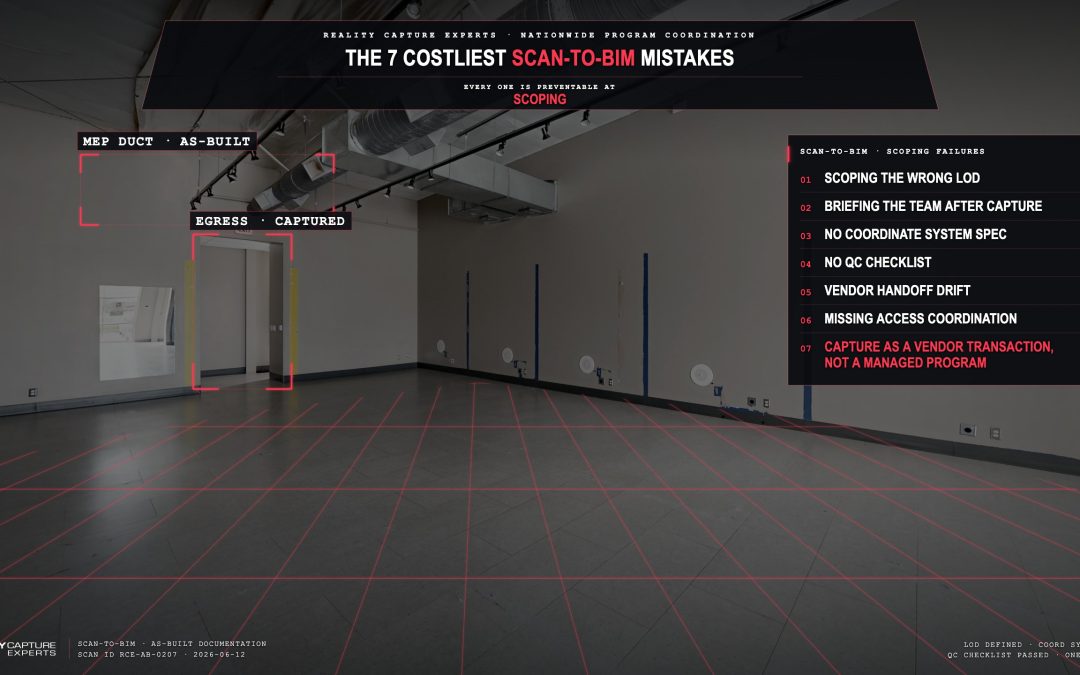
The seven costliest scan to BIM mistakes are rushing the scope, getting deliverables and LOD wrong, sending a technician without a field guide, missing areas that should have been captured, expecting the scan to capture what the camera can’t see, skipping the QC check, and treating capture as a vendor transaction instead of a managed program. Every one happens before or around the scan — not in the modeling — and every one is preventable.
This post walks through each scan to BIM mistake, what it costs, and how to design it out before the first scan.
Scan to BIM Mistake 1: Rushing the Scope Process
When scope is rushed and the follow-up call gets skipped, the field team mobilizes against assumptions instead of facts. The gap shows up later — wrong areas, missed coverage, or a deliverable that doesn’t match what the project needed — and by then the only fix is a return visit.
Fix: treat scoping as its own step. A short follow-up call to confirm areas, access, deliverables, and how the documentation will be used catches the misunderstandings that otherwise surface after the crew has left the site.
Scan to BIM Mistake 2: Not Nailing Down Deliverables and LOD Up Front
If the project hasn’t decided which deliverables it needs — digital twin, 2D plans, BIM model — and at what Level of Development, the modeling team builds the wrong thing. Specify LOD 200 when the design needs LOD 300 and you go back to site; specify LOD 350 everywhere and you pay 2–3x for detail nobody uses.
Fix: confirm deliverables and LOD by category and zone at kickoff. A 30-minute conversation with the design team is the highest-leverage cost decision in the whole project.
Mistake 3: Sending the Technician Without a Field Guide
A technician who arrives without a clear field guide is guessing — which areas, which access points, what hours, what to prioritize. The visit runs long, misses areas, or both.
Fix: every site gets a field guide before the field date — address, access instructions and hours, point of contact, the scan plan, and any site-specific requirements (after-hours retail, infection control in healthcare). The published capture SOP plus a per-site guide is what sets the technician up to succeed.
Scan to BIM Mistake 4: Missing Areas That Should Have Been Captured
The most expensive coverage gap is the one nobody notices until modeling — a room, a mechanical space, a mezzanine that was in scope but didn’t get scanned. By then the crew is in another market and the fix is a return trip.
Fix: check coverage against the scan plan before the technician leaves the site. On-site verification — every scoped area accounted for — is the difference between a quick adjustment and a return visit.
Scan to BIM Mistake 5: Expecting the Scan to Capture What the Camera Can’t See
Matterport capture is line-of-sight. Anything concealed — above a closed ceiling, inside a wall, behind equipment — is not in the scan unless it’s exposed first. Teams that expect to model concealed conditions from the capture hit a wall at the modeling stage.
Fix: identify concealed elements during scoping. If the project needs them, expose them before the scan (ceiling tiles out, access panels open) — or note clearly that they’re out of scope, so nobody expects them downstream.
Scan to BIM Mistake 6: Skipping the QC Check
Without a QC check, the first person to notice a problem is the modeler — and by then it’s a return visit, not a quick fix. Coverage gaps, captures that don’t match scope, and inconsistencies from one site to the next all slip through.
Fix: run a centralized QC check on every capture before it moves to modeling — confirming coverage, alignment with the agreed scope, and consistency across sites. One QC team against one checklist, not the field operator signing off on their own work.
Scan to BIM Mistake 7: Treating Capture as a Vendor Transaction Instead of a Managed Program
The biggest pattern behind scan to BIM failure across portfolios: capture handled as a string of separate, one-off transactions instead of one program. Each site is scoped and bid on its own, output varies from site to site, and the modeling team absorbs the inconsistency.
Fix: run capture as a managed program — one PM, one SOP, one QC team, one delivery standard across every site. The cost difference is paid back within the first handful of sites, because the modeling team stops doing cleanup and starts doing modeling.
How Scan to BIM Mistakes Compound Across a Multi-Site Program
On a single site, any one of these is recoverable. Across a 50-site program, they compound. A field-guide gap repeated across sites becomes a pattern of return visits. A scope misunderstanding multiplied across a portfolio becomes a re-scoping conversation with the client.
The math: one scan to BIM mistake on one site might cost a day. The same mistake across fifty sites costs a week to a month. Multi-site programs are where coordination shows up in the budget.
How RCE Avoids Scan to BIM Mistakes
RCE designs each of these scan to BIM mistakes out at the scoping stage. The kickoff conversation and follow-up call lock deliverables, LOD, the field guide, and the QC checklist before any field work begins. Every site uses the same scoping process, the same capture SOP, and the same centralized QC review. One PM owns the program.
That is the operational difference between a managed capture program and a self-serve, DIY model. The managed model designs failure modes out at scoping. The DIY model discovers them at delivery.
What Happens Next
The fastest way to catch these scan to BIM mistakes is to walk your scope against the seven above. If any of them aren’t confirmed in writing before the first scan, that is the one to fix next.
If you’re scoping a multi-site capture program, RCE locks all seven at kickoff. Start here to scope your project.
FAQ
Which scan to BIM mistake is the most common?
Rushing the scope and skipping the follow-up call. It’s the easiest to prevent, and it’s the one that quietly causes most of the others.
How much does a return visit to site cost?
It varies by market, but a return visit runs well above the cost of getting the capture right the first time — plus the schedule hit on downstream modeling.
Can these mistakes be fixed mid-program?
Some. A field guide can be improved and a QC check added. A missed area or an unscoped concealed element usually means going back to site. Catch them at scoping, not at delivery.
Is there a template for the per-site scoping document?
RCE provides one as part of every program kickoff. It covers deliverables, LOD, access, the field guide, and QC sign-off.